tiepoints
Purpose
Interactive tie point review application — a modern replacement for ISIS’s Qnet. Displays side-by-side image cutouts at each tie point location with linked zoom/pan, making it easy to verify registration quality.
Usage
# Launch tie point review
isistools tiepoints cubes.lis control.net

# Custom port
isistools tiepoints cubes.lis control.net --port 5001
Options
| Option | Default | Description |
|---|---|---|
--port, -p |
0 (auto) | Server port |
--no-browser |
off | Start server without opening browser |
What it shows
The tiepoint review app launches a Panel application in the browser with:
- Point browser: navigate through tie points with point metadata (ID, registration status, residual magnitude)
- Side-by-side image cutouts: both images displayed at the tie point location with linked zoom/pan — zoom into one panel and the other follows
- Residual display: pixel-level residual vectors showing the registration quality at each point
- Status filtering: show only registered, unregistered, or ignored points
Improvements over Qnet
| Qnet | isistools tiepoints |
|---|---|
| Shows images flipped in detector readout order | Images in correct (north-up) orientation |
| Requires level-2 cubes | Works with level-1 cubes directly |
| Registered points nearly invisible | Clear color-coded status display |
| Qt-only | Browser-based with linked interactivity |
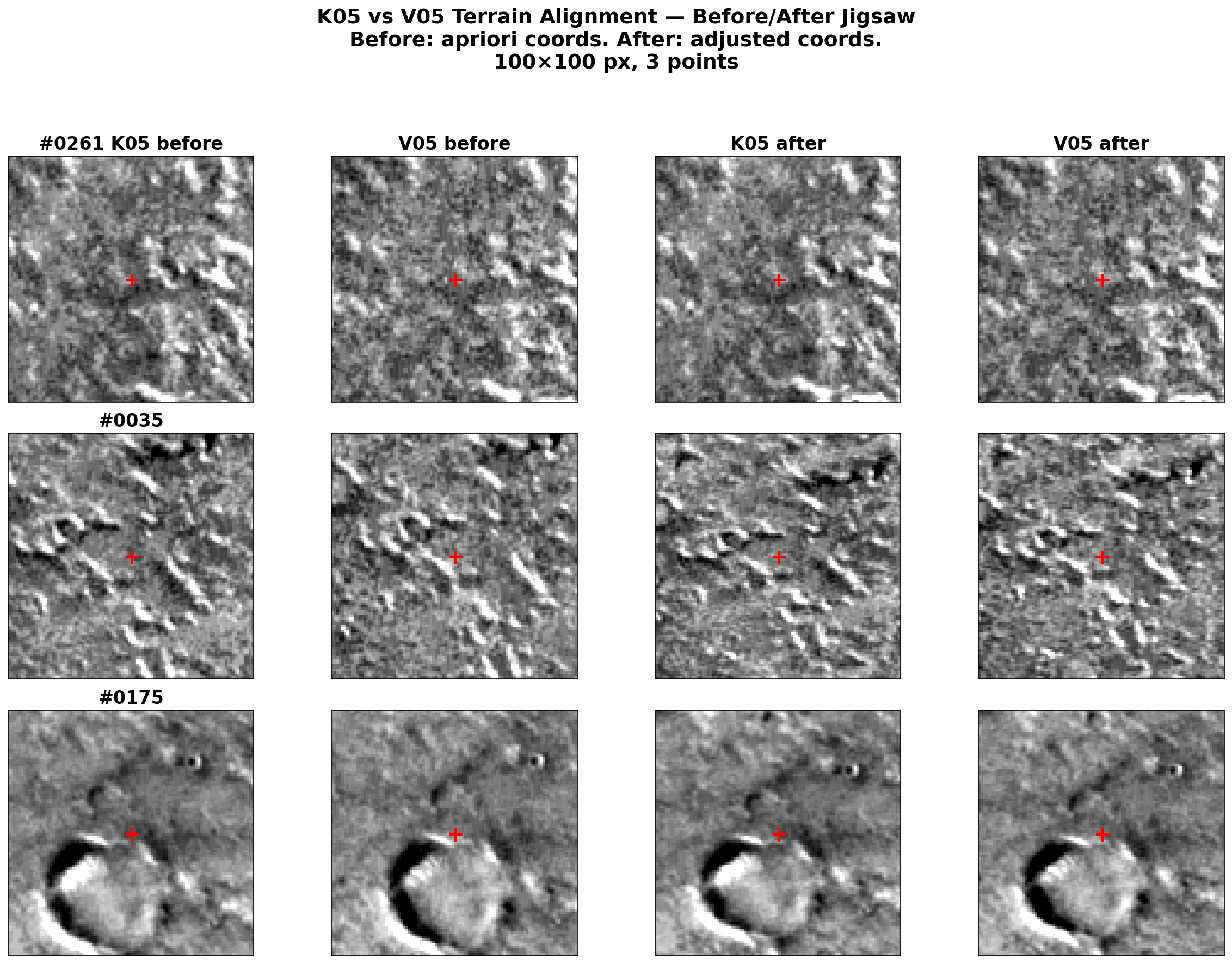
Example: Before/after jigsaw verification
A common workflow is to compare tie point alignment before and after bundle adjustment. The image below shows cutouts at three random tie points:
Python API
from isistools.apps.tiepoint_review import TiepointReview

# In a Jupyter notebook
app = TiepointReview("cubes.lis", "control.net")
app.panel()  # renders inline

# As a standalone server
app.serve(port=5001)